Skip to content

Best Printers

We compared 10 printers and ranked them on a 1–10 score computed from 33,999 customer ratings — driven by what real buyers reported, not editor opinion. Our current #1 pick is Canon PIXMA TS6520 Wireless Color Inkjet Printer Duplex Printing, White – Home Printer with Copier/Scanner, 1.42” OLED Display, Intuitive Control Panel, Compact Design | Copier/Scanner, 1.42' OLED Display, Intuitive Control Panel, Compact Design, Duplex Printing, scoring 8.6/10.

Each pick below comes with a data-driven summary plus the pros and cons buyers mention most, so you can choose the best printers for your needs in minutes.

Shopping adjacent? Best Instant Pots and Best Ink Cartridges covers the same ground from a different angle.

Data-Driven Ranking
10 products compared
Rating data last refreshed

Our top printers picks

1

The Canon PIXMA TS6520 is generally well-received for its reliability and multifunctionality, including printing, copying, and scanning. However, users caution that ongoing costs like ink can be high.

Summary written by a language model from real customer reviews. It never affects the score.

PROS
  • Easy setup and quick Wi-Fi connection
  • Clear and detailed print quality
  • Compact design with intuitive controls
CONS
  • High cost of ink refills
  • Limited paper output capacity
Check on Amazon
2

The portable printer is generally well-received for its ease of use and convenience, especially for users who travel frequently or need a compact printing solution. However, some reviewers mention issues with paper alignment and inconsistent printing quality when using larger papers.

Summary written by a language model from real customer reviews. It never affects the score.

PROS
  • Compact and lightweight
  • Easy Bluetooth setup and connection
  • Cost-effective as it uses thermal paper without ink cartridges
CONS
  • Alignment issues with certain paper types
  • Limited functionality for large documents or detailed images
Check on Amazon
3

The HP Envy 6155 is generally well-received for its ease of setup and use, offering basic printing, scanning, and copying functions. However, connectivity issues persist, particularly with PC connections.

Summary written by a language model from real customer reviews. It never affects the score.

PROS
  • Easy to set up
  • Affordable price point
  • Includes trial of HP Instant Ink
CONS
  • Difficulties connecting to PCs
  • Occasional software glitches
Check on Amazon
4

The Canon PIXMA TS4320 is generally well-received for its excellent print quality and ease of setup. It offers good value for home use, although some users experienced connectivity issues with non-Windows systems.

Summary written by a language model from real customer reviews. It never affects the score.

PROS
  • Excellent print quality with sharp text and vibrant colors
  • Easy wireless connection and setup process
  • Quiet operation during printing
CONS
  • Connectivity issues with certain operating systems like Linux or initial difficulties with Mac setups
  • Potential concern over ink cartridge costs
Check on Amazon
5

The Canon PIXMA TS3720 is generally well-received for its ease of setup and use, reasonable printing quality, and affordability. However, some users note that it feels less sturdy than expected given its price point.

Summary written by a language model from real customer reviews. It never affects the score.

PROS
  • Easy to set up and connect via Wi-Fi
  • Reasonable printing quality with no smear or blur
  • Affordable pricing
CONS
  • Feels flimsy in construction compared to higher-end models
  • Limited paper storage without a tray
Check on Amazon
6

The Epson EcoTank ET-2800 is generally well-received for its ease of use and high-quality printing, particularly for photos. However, some users report occasional app connection issues that can be frustrating.

Summary written by a language model from real customer reviews. It never affects the score.

PROS
  • Easy setup process
  • High-quality photo printing
  • Ink efficiency and reduced waste
CONS
  • Occasional app connectivity issues
  • Paper feed from the top is inconvenient
Check on Amazon
7

The Canon PIXMA TR4720 is generally well-received for its all-in-one functionality and ease of setup, though some users noted initial connectivity issues that were resolved easily. It offers good value with affordable ink costs.

Summary written by a language model from real customer reviews. It never affects the score.

PROS
  • Easy to set up and use
  • Includes starter ink cartridges
  • Supports wireless printing and scanning
CONS
  • Initial Wi-Fi connection problems reported by a few users
  • Print speed is on the slower side
Check on Amazon
8

The Brother Work Smart 1360 printer is well-regarded for its ease of setup and use, offering good print quality and convenient mobile printing features. However, some users have experienced initial connectivity issues with wireless installation.

Summary written by a language model from real customer reviews. It never affects the score.

PROS
  • Easy and intuitive setup process
  • High-quality prints in both black and white as well as color
  • Ink efficiency and cost-effectiveness
CONS
  • Initial difficulty with wireless connection setup
  • Print quality could be better for some users
Check on Amazon
9

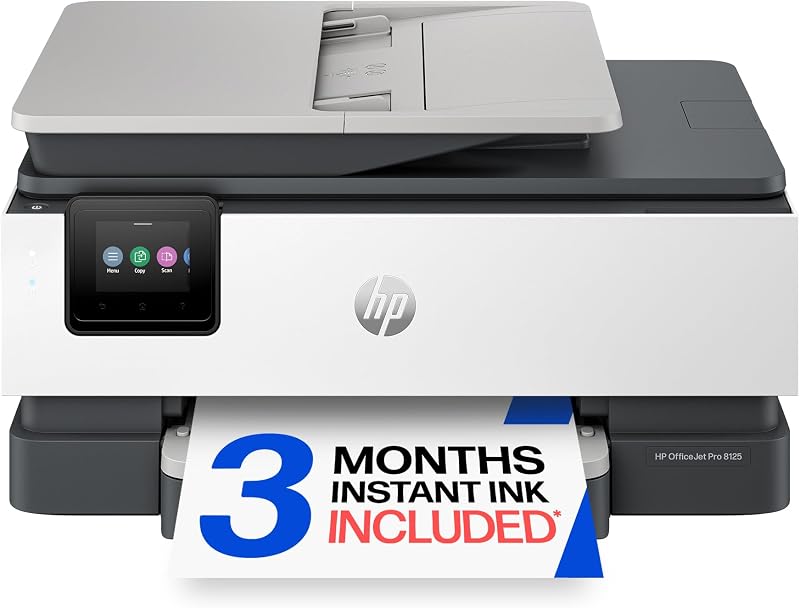
The HP OfficeJet Pro 8125 is generally well-received for its ease of setup and use, reliability, and good print quality. However, some users report connectivity issues and dissatisfaction with the printing software, particularly for photo printing.

Summary written by a language model from real customer reviews. It never affects the score.

PROS
  • Easy to set up
  • Connects easily to multiple devices
  • Good print quality
CONS
  • Potential Wi-Fi connection problems
  • Printing software difficulties
Check on Amazon
10

The HP DeskJet 4355 is generally well-regarded for its ease of setup and high print quality, though there are some complaints about Wi-Fi connectivity issues. The printer offers a good value with included ink and efficient monitoring of ink levels to avoid running out.

Summary written by a language model from real customer reviews. It never affects the score.

PROS
  • Easy setup process
  • High-quality prints
  • Inclusion of free ink for three months
CONS
  • Wi-Fi connectivity problems in rare cases
  • Issues printing after power outages
Check on Amazon

Quick Comparison

ChoiceRadar ranking of 10 printers, with score and the most-cited pro and con for each.
ProductScoreBiggest plusMain drawback
Canon PIXMA TS6520 Wireless Color Inkjet Printer Duplex Printing, White – Home Printer…8.6/10Easy setup and quick Wi-Fi connectionHigh cost of ink refills
Portable Printers Wireless for Travel, N80 Bluetooth Thermal Printer8.5/10Compact and lightweightAlignment issues with certain paper types
HP Envy 6155 Wireless All-in-One Color Inkjet Printer, Print, Scan, Copy, Duplex Printing…8.3/10Easy to set upDifficulties connecting to PCs
Canon PIXMA TS4320 – Wireless Color Inkjet Printer for 2-Sided Printing & Photos, Cost…8.2/10Excellent print quality with sharp text and vibrant colorsConnectivity issues with certain operating systems like Linux or initial difficulties with Mac setups
Canon PIXMA TS3720 Wireless All-in-One Printer for Basic Home Printing, White8.1/10Easy to set up and connect via Wi-FiFeels flimsy in construction compared to higher-end models
Epson EcoTank ET-2800 Wireless Color All-in-One Supertank Printer - Black8.0/10Easy setup processOccasional app connectivity issues
Canon PIXMA TR4720 All-in-One Wireless Printer, Home Use with Auto Document Feeder,…7.9/10Easy to set up and useInitial Wi-Fi connection problems reported by a few users
Brother Work Smart 1360 Wireless Color Inkjet All-in-One Printer with Automatic Duplex…7.8/10Easy and intuitive setup processInitial difficulty with wireless connection setup
HP OfficeJet Pro 8125 Wireless All-in-One Color Inkjet Printer, Print, Scan, Copy, ADF,…7.8/10Easy to set upPotential Wi-Fi connection problems
HP DeskJet 4355 Wireless All-in-One Color Inkjet Printer, Scanner, Copier, Best-for-Home,…7.0/10Easy setup processWi-Fi connectivity problems in rare cases

Advertising disclosure: ChoiceRadar is a participant in the Amazon Associates Program. We earn a commission on qualifying purchases made through links on this page, at no extra cost to you. It never affects how products are scored or ordered — see our methodology.

Frequently Asked Questions

What is the best printer right now?
Canon PIXMA TS6520 Wireless Color Inkjet Printer Duplex Printing, White – Home Printer with Copier/Scanner, 1.42” OLED Display, Intuitive Control Panel, Compact Design | Copier/Scanner, 1.42' OLED Display, Intuitive Control Panel, Compact Design, Duplex Printing is our top-ranked pick, with a ChoiceRadar score of 8.6/10. It leads our ranking of 10 printers built from real customer-rating data.
How many printers did you compare?
This ranking covers 10 printers, drawing on 33,999 customer ratings in total. Scores range from 7.0–8.6 out of 10.
How is the #1 printer chosen?
Every product here clears a minimum of 100 customer ratings, then we score its full star distribution on a 1–10 scale and rank by that score. Canon PIXMA TS6520 Wireless Color Inkjet Printer Duplex Printing, White – Home Printer with Copier/Scanner, 1.42” OLED Display, Intuitive Control Panel, Compact Design | Copier/Scanner, 1.42' OLED Display, Intuitive Control Panel, Compact Design, Duplex Printing came out on top for this category. The exact formula is published on our methodology page.